
One rule, thousands of prices.
The tyre catalogue in your workspace is maintained for you: sizes, load and speed ratings, labels and images. What it cannot know is what you want to earn on each tyre. This guide shows how to set your tyre prices during the trial using rules, so the range prices itself, your storefront and the customer network sell at your numbers, and a supplier increase is a one-minute change rather than an evening with a spreadsheet.
Decide what you want from the range before you touch a number
Three decisions cover almost every tyre business: how much margin you want on budget, mid-range and premium tyres; the lowest fitted price you will accept for any tyre, because a bay or a van costs money to run even on a cheap tyre; and how you want prices to read, whether that is to the pound or ending in a particular figure.
Write those three down before you open the pricing screen. They are commercial decisions about where you sit in your local market, and no software should make them for you. Once they are written down, entering them takes minutes.
Open Tyre Prices and set the base markup
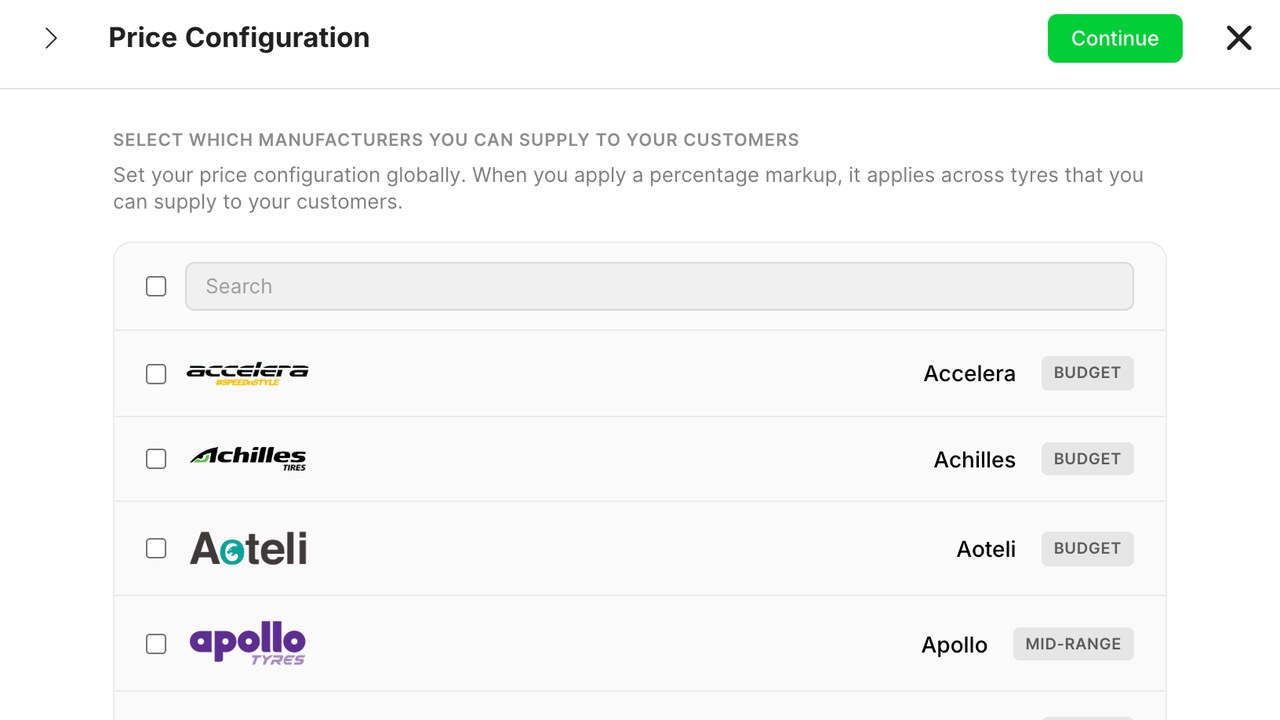
In the workspace, open the Tyres tab and choose Prices. The first panel asks for a markup by category. Enter a percentage for each of budget, mid-range and premium. The catalogue already knows which category every tyre belongs to, so this one panel prices the whole range at once.
Below the markup you will see the floor. Set it to the fitted price under which you would rather not do the job. A sensible floor stops a budget tyre with a tiny cost from being listed at a price that does not cover the fitting.
Then set rounding. Rounding to a whole unit or to a chosen ending makes a price list read as considered, and it stops customers comparing you on pennies.
See the result on real sizes before you publish
The preview on the right shows the ten most searched sizes in your market with your rule applied. Look at the sizes you sell most: the common 16 and 17 inch car sizes, the van sizes if you do vans. If one of them looks wrong against what you know the local market charges, the rule is wrong, not the tyre, so adjust the markup for that category rather than editing the line.
- A size that comes out far above your competitors usually means the category markup is too high for that band.
- A size that comes out below cost plus fitting means the floor is too low.
- A price that reads oddly means the rounding rule needs a different ending.
Publishing takes one press. From that moment your storefront and the Requex customer network sell at these prices, and customers searching by registration see your fitted price next to the tyre.
Add overrides only where you mean it
Some lines deserve a hand-set price: a tyre you buy in volume at a special cost, a line you want to clear, or a premium size where you know the market well. Open the tyre, set the override, and it stays fixed whatever the rule says. The override list is shown in one place so you can see every exception at a glance.
Keep that list short. If it grows past a few dozen entries, you have gone back to pricing by line and the next supplier change will take an evening again. A long override list is a sign that a category markup needs changing instead.
Keep the rules current
When a supplier list changes, you do not reprice the range; you check the floor and the markup against the new costs, and the catalogue follows. Many workshops look at the rule once a month and at the top-selling sizes against the local market once a quarter.
The pricing screen shows a simple report: how many tyres sold in each category, what margin they carried, and which sizes were quoted but not booked. A category you win every quote in is probably priced too low. A category you win none in is probably too high, or the floor is doing the wrong job.
An AI agent in your workspace can apply a rule change across the range and list the exceptions for you to look at. It is good at the mechanical part. The rule itself stays yours.
Why this matters during a trial
Priced tyres are bookable tyres. On the customer network, a tyre with your price next to it can be booked for next-day fitting, and a tyre without one is shown at an estimate that someone else may beat. The sooner you set your tyre prices, the sooner jobs arrive with the price already agreed.
Half an hour on this screen during the trial changes what the rest of the trial looks like, because every other feature, from the storefront to the invoice, carries the prices you set here.
Biežāk uzdotie jautājumi
Do I have to price every tyre by hand?
No. You set a markup per category, a floor and a rounding rule, and the catalogue prices every size from those. Hand-set overrides are for the handful of lines you genuinely want to control.
What if I do not price my range at all?
The storefront and the customer network show estimate prices for your market so customers can still book. Your own prices replace the estimates as soon as you publish a rule, and a priced tyre is what makes next-day fitting bookable.
Are prices shown fitted or bare?
Fitted, by default, because that is what customers compare. Your fitting charge is set once in Services, and the storefront adds it so the customer sees one honest number.
How do I handle a supplier price increase?
Check the floor and the category markups against the new costs. The range follows the rule, so there is nothing to reprice line by line.
Can I price mobile fitting differently from workshop fitting?
Yes. Mobile and workshop fitting are separate services with their own prices, so a tyre fitted at the roadside can carry the travel and van time without a surcharge appearing at checkout.
Lasīt vairāk līdzīga satura
Riepu cenas bez izklājlapas
Roku noteiktas riepu cenas noveco, tiklīdz mainās piegādātāju saraksts. Cenas nosaki pēc noteikumiem, ļaujot tiem atjaunoties.
Transportlīdzekļa reģistrācijas meklēšana
Transportlīdzekļa reģistrācijas meklēšana novērš lielāko kritumu tiešsaistes riepu pārdošanā: brīdī, kad jautājat klientam par nezināmu izmēru.
ES riepu marķējums jūsu veikalā
ES riepu marķējums ir pienākums un pārdošanas rīks. Šeit ir, kas jāparāda veikalā, no kurienes nāk dati un kā tos izmantot, lai palielinātu pārdošanu.